
Create & Apply
Analyze & Prepare
Free Tools
All Free Tools
Browse keyword extractor, ATS checker, bullet rewriter, and more
Keyword Extractor
Extract skills and keywords from any job description
ATS Resume Checker
Check resume keyword match against a job description
Bullet Rewriter
Rewrite resume bullets with stronger impact
Summary Generator
Generate professional resume summary variants
Build your perfect tailored CV
Join thousands of professionals landing more interviews with AI-powered resumes.
Popular Roles
See real resumes that get interviews
Browse examples across every industry and role to inspire your own.
Find your perfect template
Professionally designed layouts ready to tailor to any job.
Learn & Explore
July 6, 2026
·17 min read
Best AI Resume Builders for 2026: Tested & Compared
Using AI to help with your resume will highlight your wins and tailor it to the job you want. So, choosing the right AI resume tool with the best AI features can help you create a top-notch CV.
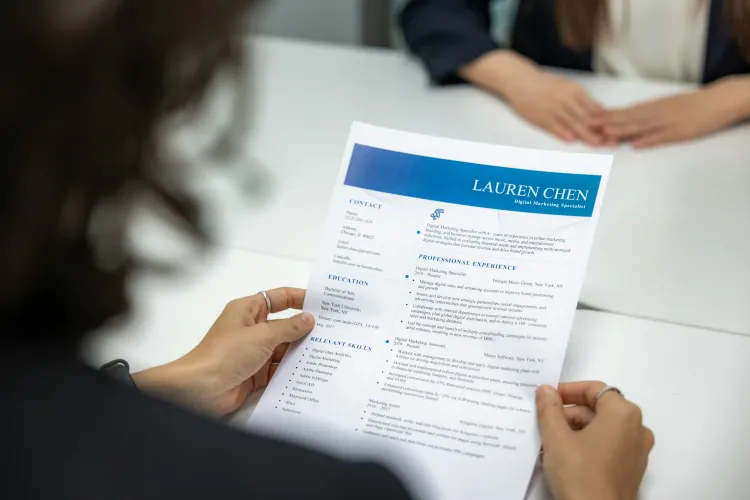
Writing a good resume in 2026 goes beyond listing your experience and skills. With ATS filters, keyword matching, and picky recruiters, a basic text-only resume won’t get you hired anymore. That’s where AI resume builders come in and make the difference.
Using AI to help with your resume will highlight your wins and tailor it to the job you want. So, choosing the right AI resume tool with the best AI features can help you create a top-notch CV.
We have listed the best AI resume builders together with their pros and cons, AI features, and pricing. So whether you are polishing your old one or starting from scratch, you can easily find the one that fits you best.
What Is an AI Resume Builder?
An AI resume builder is an online tool that uses artificial intelligence to help you create, improve, and optimize your resume. When applying for a job, you probably think that using ChatGPT and Canva will create the best resume in minutes. But these AI tools will not optimize your CV based on your experience and skills. And they might be kind of repetitive.
That’s why using AI resume builders can make a unique and tailored CV in just a few simple steps. They let you apply to more jobs with a consistently strong CV, boosting your chances of getting hired.
In short, the best resume AI will:
- Save you time and reduce stress.
- Adapt your CV to the targeted job.
- Optimize for ATS.
- Choose the right keywords.
How We Ranked The Best AI tools for Creating CV in 2026
We evaluated each AI resume builder based on its key AI features, pros, cons, pricing, and ATS optimization. We carefully analyzed the process of creating a CV at each platform, from the setup experience and workflow to the quality, accuracy, and relevance of the AI-generated content.
Additionally, we examined how effectively each tool incorporated job-specific keywords and, most importantly, whether it could tailor resumes to match individual job descriptions. We also assess discussions on forums like Reddit to better understand the biggest pain points job seekers face. That helped us create recommendations that answer their biggest questions and make it a little easier to find the right AI resume builder.
Quick Comparison: Top AI Resume Builders You Should Know
See our best AI resume builders 2026 comparison table highlighting their features, prices and best usage.
| Tool | Best For | Key Strength | Price |
|---|---|---|---|
| TailoredCV | Job seekers who want deep job-description-based resume tailoring and strong ATS optimization | Advanced ATS optimization and tailored resumes for each job, plus an AI interview assistant | Pro: $10/mo (billed annually – $120/year) or $12/mo (billed monthly) |
| Wobo.ai | Users who want resume building + job matching + automated applications in one platform | All-in-one job search and resume automation | Plus: $24.99/mo Pro: $44.99/mo Premium: $53.99/mo |
| TealHQ | Job seekers who want resume tracking, LinkedIn integration, and unlimited resume versions | Resume performance insights with AI-powered rewriting | Teal+: $13/week |
| Rezi | Users looking for strong keyword optimization and real-time resume scoring | Real-time content analysis and keyword alignment | Pro: $29/mo Lifetime: $149 one-time |
| Resume.io | Beginners who want a simple, guided resume-building experience | AI-powered writing suggestions and professional templates | 7-Day Trial: $2.95, then $29.95 every 4 weeks Quarterly: $49.95 |
| Enhancv | Creative professionals who want visually appealing resumes with AI + ATS checking | Visually creative templates with ATS-friendly design | Pro: $24.99/mo Quarterly: $16.66/mo 6-month billing: $13.32/mo |
| Kickresume | Users who want strong AI-generated content and multilingual resume support | GPT-powered resume writing and multilingual support | Monthly: €24 Quarterly: €18/mo Yearly: €8/mo |
Wondering what is the best AI resume builder? This guide breaks down the top tools, their features, pros, cons, and pricing, to help you create your resume quickly and easily.
1. TailoredCV
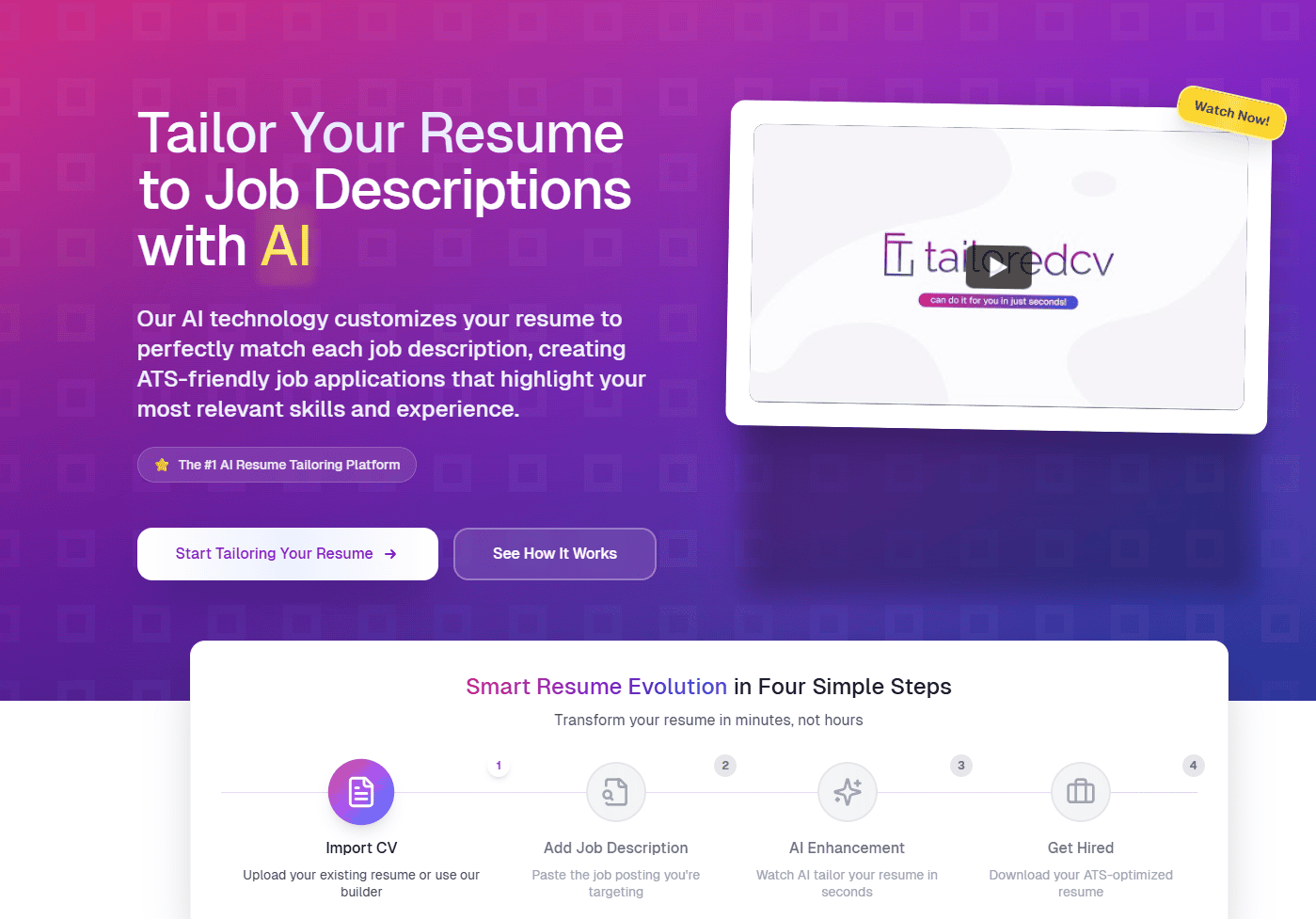
First on our list to explore is TailoredCV, an AI-powered tool that analyzes job postings and tailors your CV to highlight relevant experience, skills, and keywords employers care about. Optimizing for these job-specific requirements will help you get past ATS filters. Instead of sending the same resume to every role, TailoredCV helps you customize your resume to each application, aligning it with the job requirements.
We tested our resume AI tool objectively. Here’s what it does:
- After signing in, you can upload your existing CV or build from scratch with the ATS-friendly templates.
- Next, paste the job description so the AI can analyze the main keywords, required skills, and role-specific requirements.
- AI tailors and optimizes your resume to match the job description.
- You can review and edit anything you’d like to better reflect your experience.
- Finally, you can download your ATS-optimized resume in your preferred format and apply with confidence.
AI Features
- Smart Resume Customization: This feature allows the AI to analyze each job posting and tailor your resume to match the requirements and expectations.
- Keyword & Skill Detection: Using AI, this tool automatically identifies and extracts important keywords and skills from job descriptions.
- ATS Optimization: You can adjust your resume content to improve its compatibility with applicant tracking systems.
- Unlimited Resume Tailoring: You can customize your resume for as many different roles as you need, without any restrictions or limits.
- Resume Performance Analytics: This function provides detailed feedback on how well your resume aligns with the specific job requirements.
- Professional Templates: You can choose from a variety of ATS-friendly resume designs, making it easier to present your experience in a polished, professional resume format.
Pros
- Fast AI Builder: Generate tailored resumes in just minutes.
- Unlimited Optimizations: There are no limits to how often you can refine and improve your resume.
- Easy Workflow: Even if you’re using it for the first time, the interface is easy to navigate.
- High-Volume Job Applications: This is a great solution if you are applying to many roles at once.
- Strong ATS Focus: It helps ensure your resume passes through automated screening processes, improving your chances of being hired.
Cons
- Subscription-Only Model: There is no one-time purchase to build your resume.
Pricing
- Pro Plan (All features included): $10/month - billed annually ($120/year), and $12/month - billed monthly.
Beside AI resume, TailoredCV provides other AI tools, including:
- AI Cover Letter Generator - creates personalized cover letters within seconds.
- AI Interview - useful for practicing interviews with an AI assistant.
- Resume Tailoring - customizes your resume to a specific job description.
- Resume Checker - tracks your resume performance to improve chances of hiring.
- Resume Templates - offers a collection of ATS-friendly templates.
2. Wobo.ai
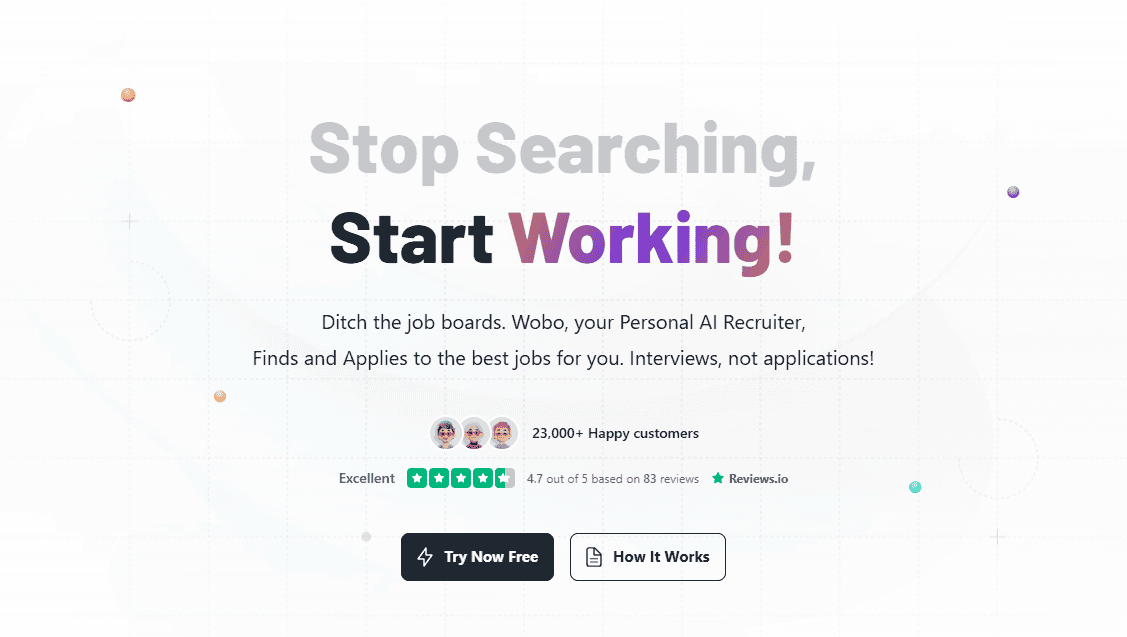
We tested Wobo’s AI tools, and here’s what we discovered: it’s a resume platform that combines job matching, ATS-friendly resume creation, and automated job applications all in one place. It’s designed to help you land interviews faster and build your resume more efficiently.
AI Features
- ATS Resume Checker: You can check whether your resume will pass through the ATS system.
- AI Cover Letter Generator: You can also personalize your cover letter in minutes.
- AI Job Search: With an AI job search, you can find the job that best matches your profile.
- Wobo Persona: A smart AI assistant can guide your resume and application strategy.
- Automated Applications: With this feature, you can apply to multiple jobs faster without losing personalization.
Pros
- Integrated Job Search: You can integrate job search and matching all in one place, making your hunt much easier.
- Resume Tracking: Getting insights into how your resume performs in ATS systems helps you identify where to improve it.
- Profile Optimization: You can optimize your profile at any time to help it stand out to recruiters.
Cons
- Limited Customization: We find some options less flexible.
- Limited AI Features: Not all advanced features are free.
- Human Review: AI suggestions need human review.
Pricing
- Free: Limited access to AI resume builder, AI cover letters, and job matching.
- Plus: $24.99/mo for additional and advanced search.
- Pro: $44.99/mo for more credits and job application tools.
- Premium: $53.99/mo for premium automation, priority support, and profile optimization guidance.
3. TealHQ
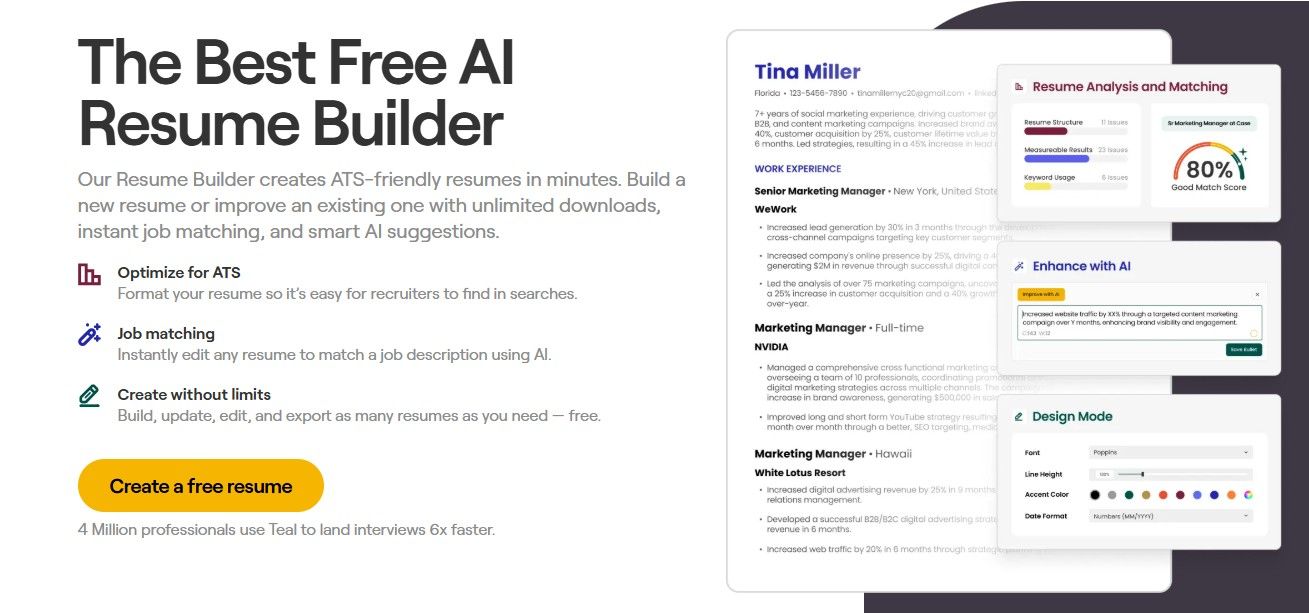
What we liked the most about Teal is its user-friendly design. Once you sign up, which is completely free, you need to fill out a short questionnaire about your career goals. You can start your resume by integrating your LinkedIn profile or uploading your exciting CV for optimization. And also, if you don’t have either, you can create your own from scratch.
AI Features
- Professional Summary Generator: You can create tailored summary sections for clearer explanations.
- Resume Rewriter: If you don’t like your current sections, you can use their tool to rewrite resume sections for clarity and impact.
- Resume Tracker: Once you apply, you can track your resume performance according to the ATS system, structure, keywords, and formatting.
- Job Description Matching: With this AI feature, you can compare your resume to different job descriptions if they match the score or need keyword improvement.
- Chrome Extension: You can bookmark jobs and track application stages.
Pros
- Unlimited Free Versions: You can have unlimited free resume versions using their templates with customization.
- Integration: They provide smooth integration with your LinkedIn profile.
- Content AI Assistant: They offer AI assistants that help write summaries, rewrite, and craft content.
- Advanced AI Improvements: You can analyze your resume using advanced AI features to identify additional changes or missing points.
Cons
- Limited Free Options: On their free tier, AI credits are limited.
- Human Review: AI suggestions are helpful, but they need to be edited for accuracy.
Pricing
- Teal: Free unlimited plan.
- Teal+: $13/week with advanced AI features and unlimited interview practice.
4. Rezi
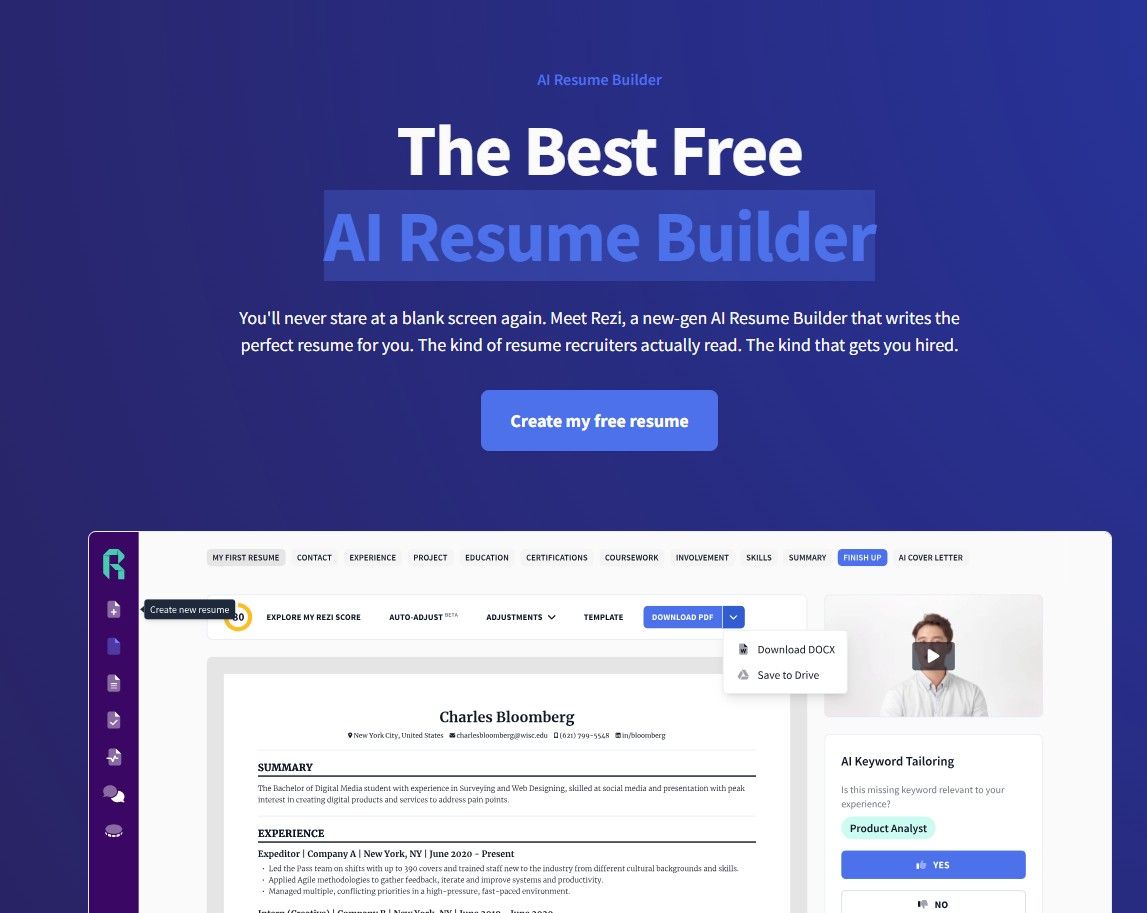
Next on our list was Rezi, a tool that has gained significant attention for its free AI-powered CV maker. So it’s worth mentioning on this list, too. Like most resume AI builders, Rezi lets you import your existing resume or integrate it with your LinkedIn profile. They also provide resume building from scratch. All you need to do is provide details about the job title, company, and job description, and Rezi will generate tailored sections for each part of the resume.
AI Features
- AI Keyword Scanner: This feature extracts relevant keywords from the job description and aligns them with your resume.
- Real-Time Content Analysis: You can find content gaps, missing bullet points, and best practices to implement in real time.
- AI Bullet Point Writer & Summary Generator: Automatically creates focused paragraphs and professional summaries to save you time and create a high-quality resume.
- ATS-Friendly Templates: They offer multiple resume designs to maximize your compatibility with ATS systems.
Pros
- Start Free: You can create a resume completely for free.
- AI Content Assistant: If you need help, the AI assistant will provide bullet points and summaries to save time and make your resume more friendly.
- Multiple Export Formats: You can download your resume in many formats.
- Real-Time Feedback: As you write, you can get instant, detailed feedback on how to improve your resume to maximize your score.
Cons
- Limited Free Version: A few features are available only.
- Lack of Visual Appeal: The templates lack the visual appeal of competitors'.
- Manual Edits: Although the AI suggestions are good, you need to review and edit if needed.
Pricing
- Free Plan: You can create only one resume and download up to three PDFs.
- Pro Plan: $29/mo with unlimited access to all features and one free monthly expert resume review.
- Lifetime Plan: $149 one-time payment, offering permanent access to all AI features.
5. Resume.io
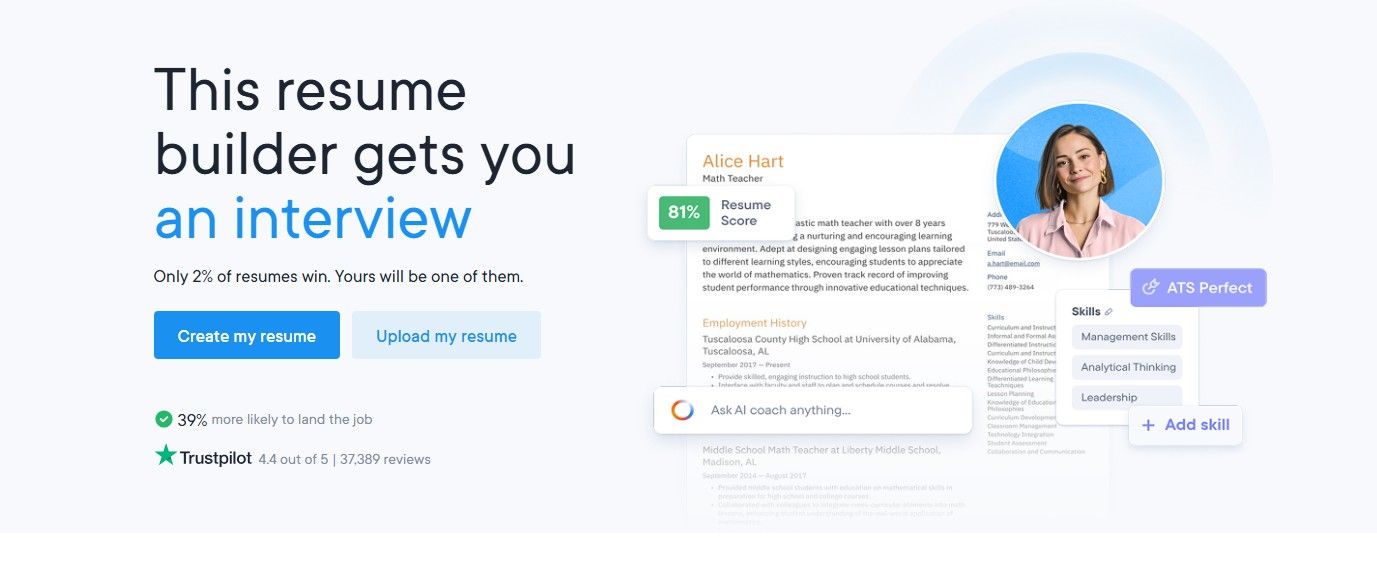
Next on our list of best AI for resume writing is Resume.io. By asking some simple questions about education, career, expectations, and skills, they will guide you through the whole resume AI-building process. Whether you’re updating an existing CV or creating a new one, it won’t take much time.
AI Features
- AI-Powered Writing Suggestions: If you don’t know what to write, AI will suggest content and phrases that help you build professional sections.
- ATS-Optimized Templates: You can choose from one of their professional templates.
- AI Writing Assistance: If you need help with the content, the AI assistant will help you with bullet points, sections, and keywords.
Pros
- User-Friendly Interface: The resume AI process is simple, with a real-time preview.
- Cloud Storage: Save your resume and multiple versions to reuse them later.
- Cover Letter Builder: You can create your AI cover letter that matches your job application in one place.
Cons
- Free Limited Services: You can create only one resume without payment.
- Customization Limits: You may face design tweaks because some templates offer limited layout options.
Pricing
- Free: As said, you can customize one resume and one cover letter. Also, you can download only the TXT format.
- 7-Day Trial: $2.95 for unlimited resumes and cover letters, as well as unlimited PDF downloads. After 7 days, auto-renews to $29.95 billed every 4 weeks.
- Quarterly: $49.95 with auto-renews to $49.95 billed every 3 months.
6. EnhanCV
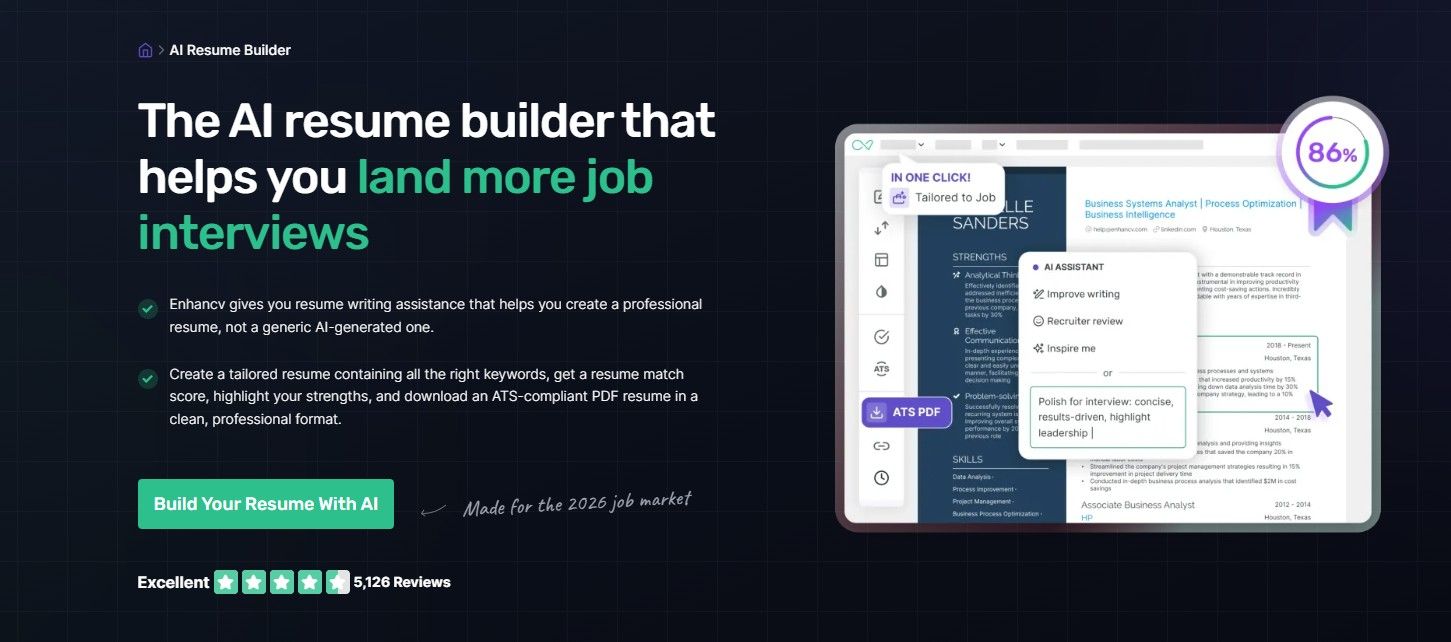
Another best AI for a resume is EnhanCV, with its very easy-to-use and creative resume design. When we first landed on their AI resume builder page, there was an AI assistant to guide us through the process.
There were three main questions to answer, starting with “Do you have an existing resume to use as a starting point?”. Just to check what’s next, we answered with No. Next, the assistant asked us to choose from their templates, which we did, and whether we wanted to link our LinkedIn profile. We skipped this step and started from scratch in an empty resume builder.
AI Features
- AI Resume Tailoring: You can paste the job description, and the AI tracker can see if the keywords and skills match your role.
- Content and Grammar Suggestions: When writing, you can see suggestions and grammar improvements to boost readability in a professional style.
- Built-In ATS Checker: Evaluate your resume against ATS criteria (format, keywords, sections) and get improvement tips.
Pros
- Multi-Language Support: AI translation lets you generate resumes in multiple languages for global applications.
- Real-Time Feedback: As you create, you receive instant feedback to improve your resume, including gaps, sections, keywords, and more.
- Mobile-Friendly: You can edit and build resumes directly in your browser on any device.
Cons
- Limited Free Tier: The free experience includes EnhanCV branding and limits on section items.
- Subscription Model: You must subscribe to export polished, unbranded resumes with advanced AI tools.
Pricing
- Free: You get 7 days of free access to try their Pro features.
- Pro: $24.99/mo - billed once a month, $16.66/mo - billed every 3 months, and $13.32/mo - billed every 6 months.
7. Kickresume
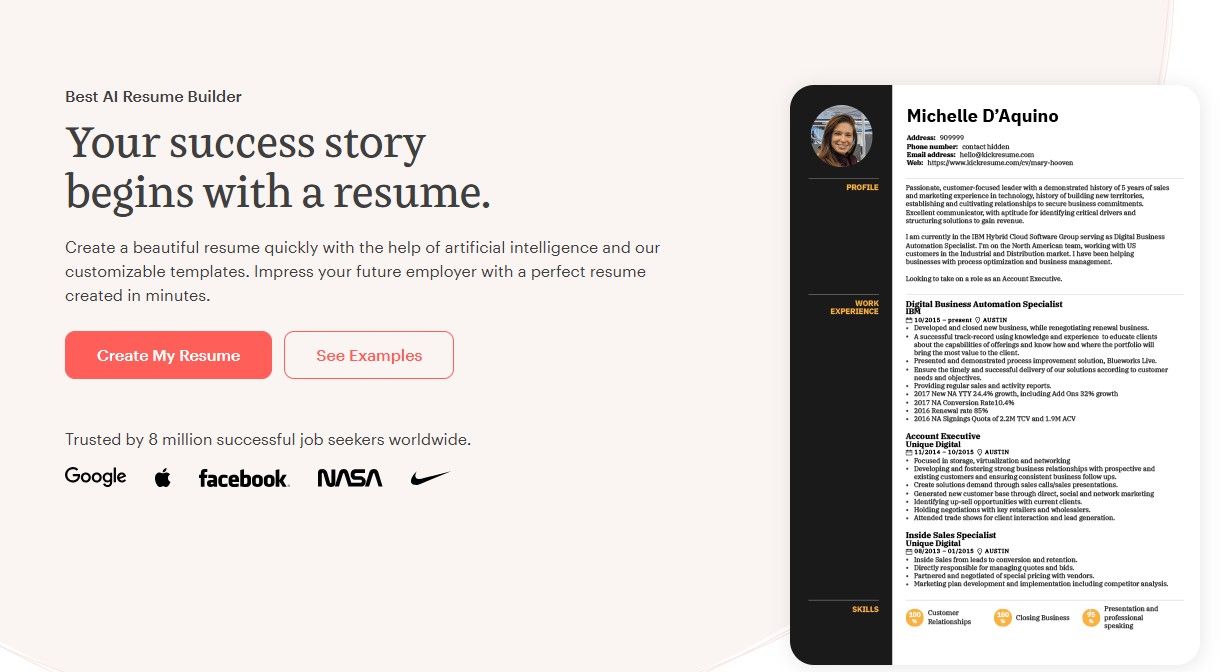
Last but not least resume AI tool we tested is Kickresume. The platform lets you generate a complete resume in minutes using a short two-step questionnaire. Then you can refine individual sections with AI. The initial draft is tailored to the job title you provide and serves as a good starting point, while AI-powered section prompts ensure each part of your resume stays relevant rather than generic.
AI Features
- AI Resume Writer: Uses a GPT-4-based model to generate well-structured resume content.
- ATS Resume Checker: Analyzes your resume against the ATS system.
- AI Resume Summary Generator: Helps you quickly create a strong, tailored resume summary based on your experience and the role you’re applying for.
- Resume Translation: Lets you translate your resume into multiple languages while keeping the formatting, tone, and professional context intact.
Pros
- Strong AI Writing: When starting your resume, it generates a clear, strong summary and bullet points aligned with relevant keywords.
- Re-Order Sections: You can easily move key sections to the top by dragging them into place.
- Free Version Available: You can build and download basic resumes without paying.
- Career Map Tool: You can explore options to plan your next move and get a personalized career map guide.
Cons
- AI Usage Limits: Free accounts offer limited AI features.
- Subscription Model: You can unlock premium AI features only with a subscription.
Pricing
- Free: You can get four basic resume templates and cover letter templates, with unlimited downloads.
- Monthly: €24/mo for several advanced AI features, including Career Map, 40+ templates, and more.
- Quarterly: €18/mo for everything from the Monthly package, plus €72 gift vouchers for your friends.
- Yearly: €8/mo for everything from the Monthly package, plus €120 gift vouchers for your friends.
How to Choose the Best AI tool for Resume Optimization in 2026
Choose the one that matches your job search goals. Here are the key things to look for:
- Tailored to each job description
- Optimize to pass the ATS systems
- High-quality AI content generation
- Optimize with the relevant keyword
- Easy to edit and looks professional
- Cost-effective
How to Use the Best AI Resume Builders Effectively
To maximize the best of the resume AI builder you choose, you need to know how to use it the right way. Here are some simple rules to follow:
1. Use It as a Starting Point
Think of the AI resume builder as your foundation, not as the finished product. You can give AI a role: it can summarize your accomplishments in bullet points and suggest keywords, but in the end, treat it as a first draft.
2. Customize Each Application
AI cannot fully replace customization. When applying, tailor your resume to each job to align your skills, experience, and achievements with the specific job description.
3. Choose Professional Format
Always choose a professional, recruiter-friendly format. It provides a clear, easy-to-scan layout for better readability and compatibility with ATS software. If not sure, choose the best ATS checker to evaluate your resume.
4. Review and Edit Manually
You can’t rely fully on AI. AI can provide strong suggestions, but they can be too generic or have inaccurate phrasing. Carefully review your resume, adjust wording where necessary, and ensure all information is accurate and consistent. Even small wording adjustments can improve your chances of passing the ATS system.
5. Use AI Features Selectively
The best AI resume tool offers useful features that will significantly save time and improve your CV. However, not every suggestion will fit your experience or career goals. Or generating too many keywords will feel unnatural. Focus on integrating these suggestions naturally.
Conclusion
We tested the best AI resume builders based on our experience. Each of these platforms offers AI features that can help you create a more tailored resume, making it better aligned with your job description. And if you use it correctly, your resume will not look AI-generated. Therefore, use AI as a brainstorming buddy or an editor where you’re the author.
FAQs
What is the best AI CV builder?
The best AI resume tool is one that helps you quickly create a professional, ATS-friendly resume while tailoring it to specific job descriptions. We have tested and compared the 7 best tools you can try.
How do I choose the best AI for resume tailoring to match job descriptions?
To choose the best AI for resume tailoring, look for a tool that can analyze a job description and automatically adjust your CV to highlight the most relevant skills and experience. Also, it should optimize your resume to match the exact keywords and phrasing used in the job description, to pass the ATS filters.
How to choose the best AI CV tool?
When choosing the best AI CV tool, focus on ease of use, quality of AI-generated content, ATS optimization, customization options, and be able to download it in multiple formats (PDF, docx, etc.).
Marija K.
LinkedIn ↗Legal Consultant & HR Specialist
Marija is a seasoned legal consultant and HR specialist with a passion for helping professionals craft standout CVs and navigate complex career transitions.
Ready to tailor your resume?
Let AI match your resume to any job description in seconds — and land more interviews.
Get started free →